
Information Delivery Specification (IDS) checker – validate IFC files against defined requirements
IDS turns project information requirements into clear, machine-readable rules. Our IDS checker validates your IFC files against those rules in the browser, so you can prove compliance before delivery and avoid last-minute surprises.
What is IDS?
IDS (information delivery specification) is a structured way to describe what information a model must contain. Instead of vague text requirements, IDS uses explicit rules for properties, classifications, element types and more. That makes checking faster, repeatable and auditable.
Why validate against IDS?
- Meet employer’s information requirements with evidence
- Standardise QA across projects and suppliers
- Reduce rework by catching issues before client review
- Create a repeatable, documented compliance process
How the IDS checker works
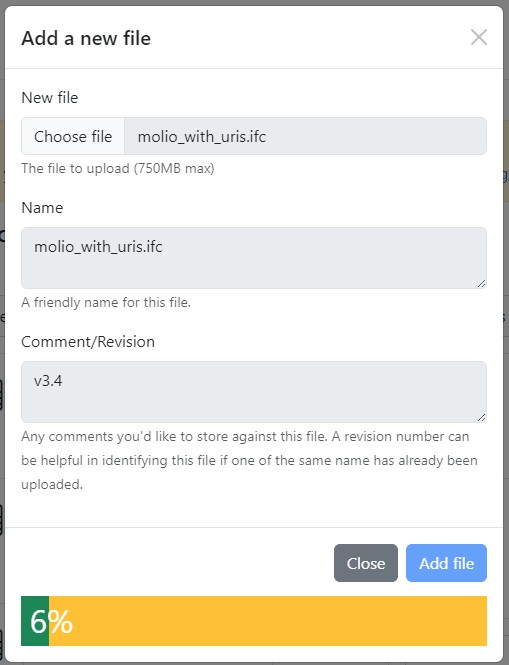
- Upload your IFC file.
- Select or upload an IDS file (client or project standard).
- Run the check to validate the model against every rule.
The report shows passed and failed requirements and flags any detected issues in the IFC or IDS file structures.
Clear rule-by-rule results
- Pass and fail per requirement with counts
- Direct links to affected elements and properties
- Details for missing or non-conformant values
- Exportable report for audit and client records
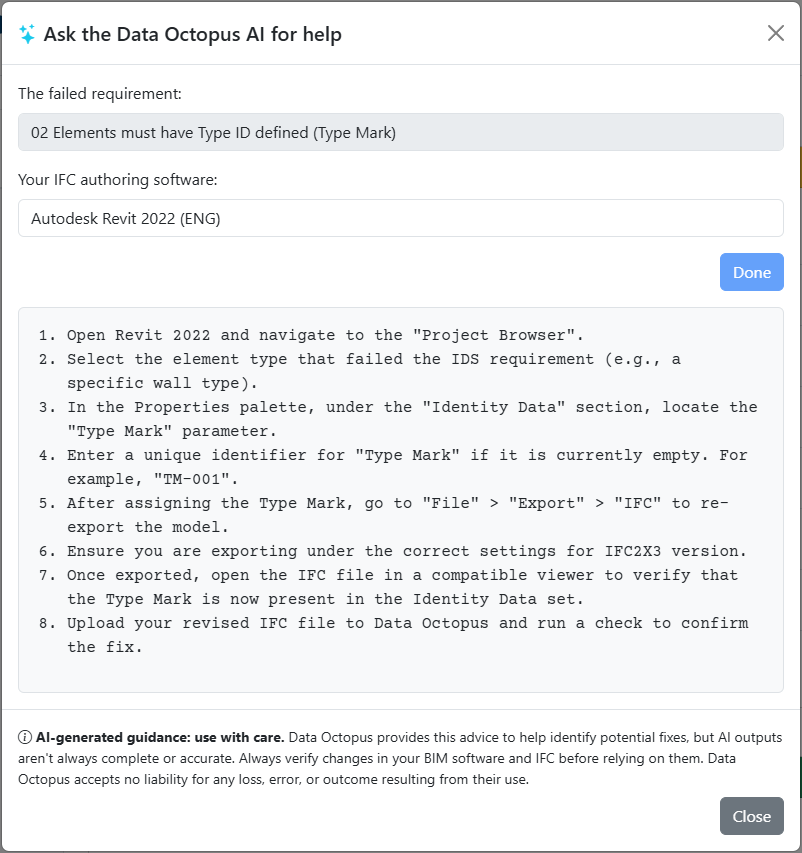
AI fix: step-by-step remediation
When a requirement fails, AI fix detects the authoring software and version used to create the IFC, then suggests step-by-step instructions to correct the data. Examples include which parameter to edit in Revit, which property set to update in Archicad, or where to apply a classification in Tekla. This removes guesswork and speeds up re-exports.
Group checks and share progress with snapshots
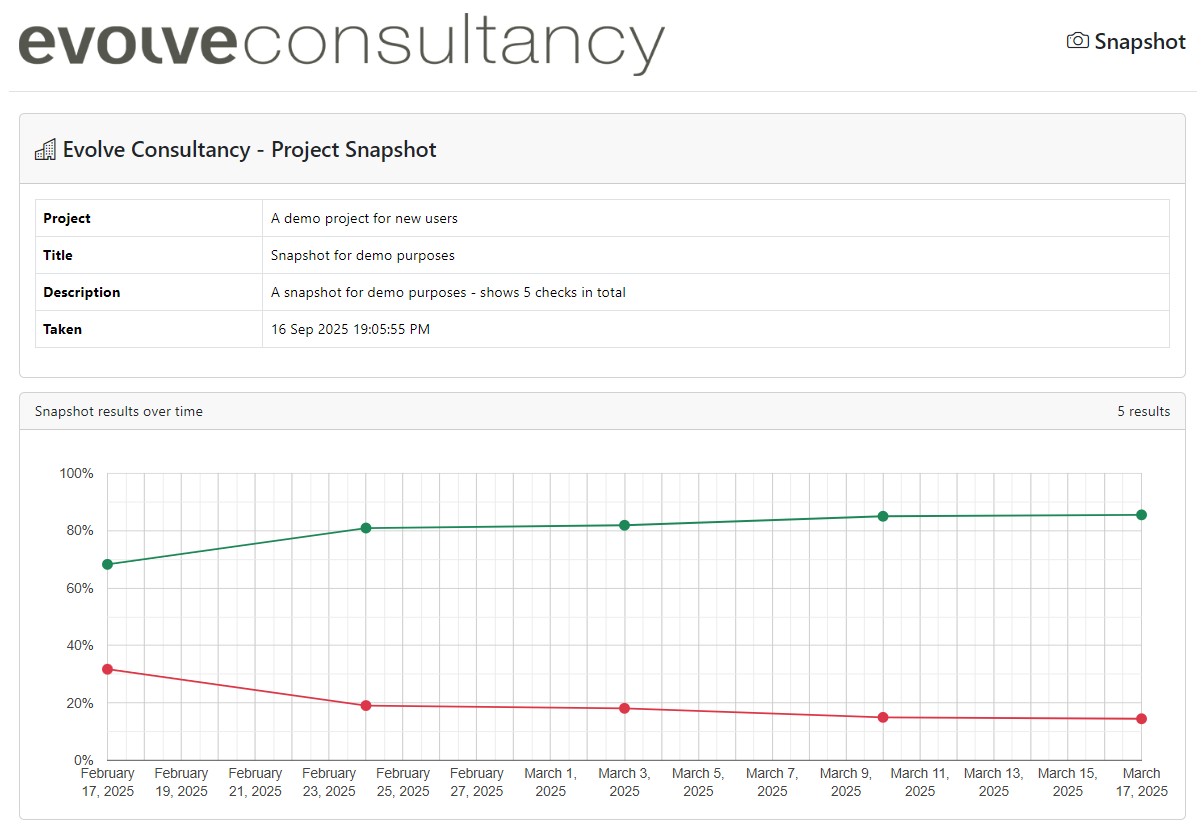
Tag and group checks by project or package to track progress across versions. Share read-only snapshots with stakeholders so everyone can see pass rates, failed rules and what changed between model updates.
What IDS can test
- Required properties and expected values
- Type vs instance parameters (e.g. type mark, fire rating)
- Classification codes and formats (e.g. Uniclass)
- Presence of attributes like Name or PredefinedType
Supported tools and schemas
- Revit, Archicad, Tekla Structures, Vectorworks, Bentley OpenBuildings
- IFC 2x3, IFC 4, IFC 4.3
If your software exports valid IFC, we can validate it against IDS.
Read more...
The top 5 most useful BIM checks using Information Delivery Specification IDS Ensure your IFC models are compliant: the essential checklist for IfcWall, IfcDoor, IfcSpace, and other critical building elements.
Fix IFC / IDS errors with Data Octopus AI How this works with Revit, Archicad, Vectorworks, or Tekla
Snapshots: sharing BIM validation progress What are Snapshots and how they can help your BIM projects